Linkerd #
Architecture_Diagram #
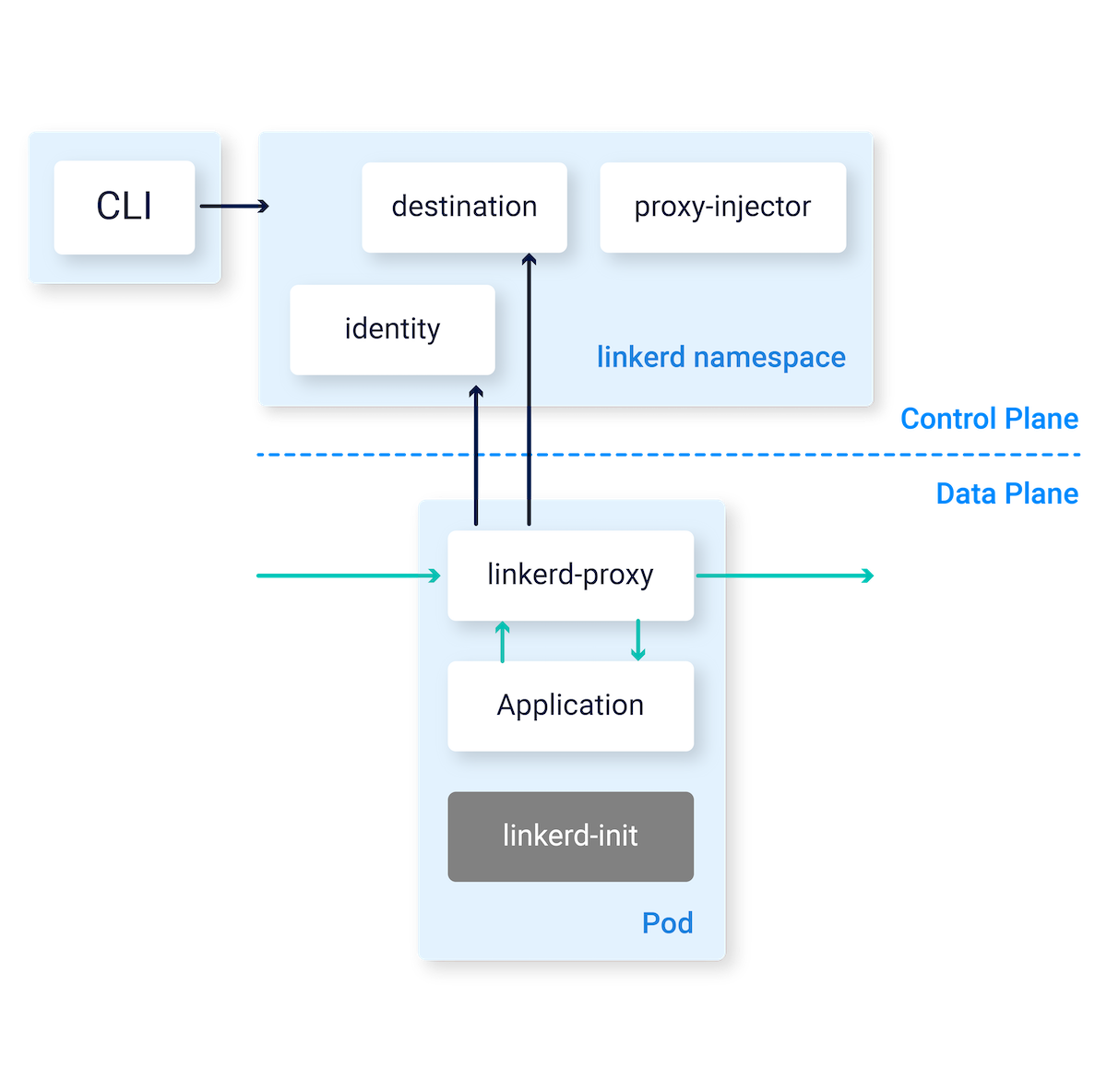
source: https://linkerd.io/2.11/reference/architecture/
Local Installation #
- Install Linkerd CLI:
brew install linkerd
linkerd version
- Verify K8S Cluster & Install:
linkerd check --pre
linkerd install --set proxyInit.runAsRoot=true | kubectl apply -f -
kubectl get po --namespace=linkerd
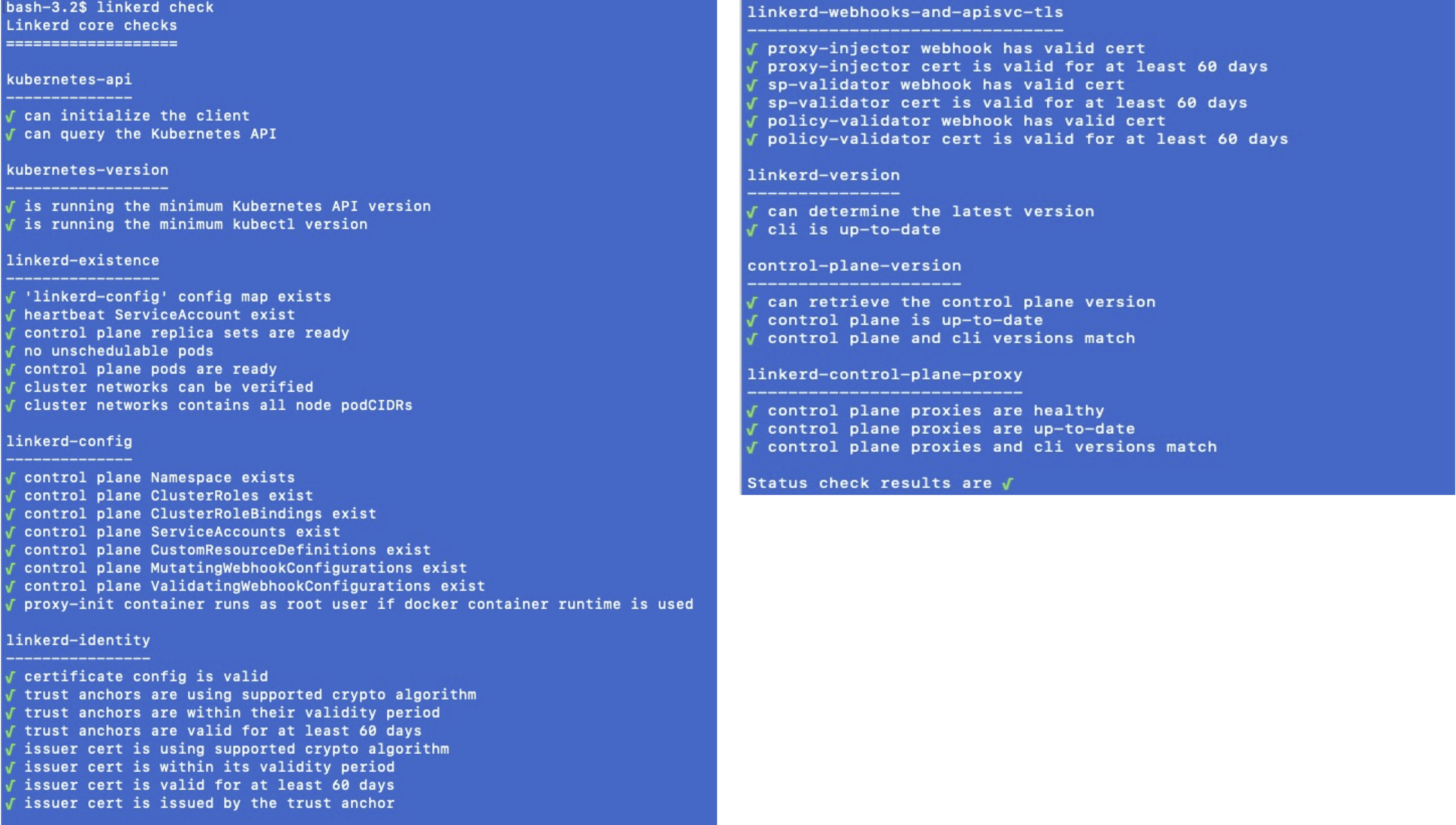
- Check Linkerd Installation:
linkerd check
- Installation viz extension, which provides observability and visualization
linkerd viz install | kubectl apply -f -
linkerd viz dashboard &
- Install Demo App in emojivoto namespace:
curl --proto '=https' --tlsv1.2 -sSfL https://run.linkerd.io/emojivoto.yml \
  | kubectl apply -f -

## injecting linkerd proxies
kubectl get -n emojivoto deploy -o yaml \
  | linkerd inject - \
  | kubectl apply -f -

kubectl -n emojivoto port-forward svc/web-svc 8080:80

## to verify
linkerd -n emojivoto check --proxy
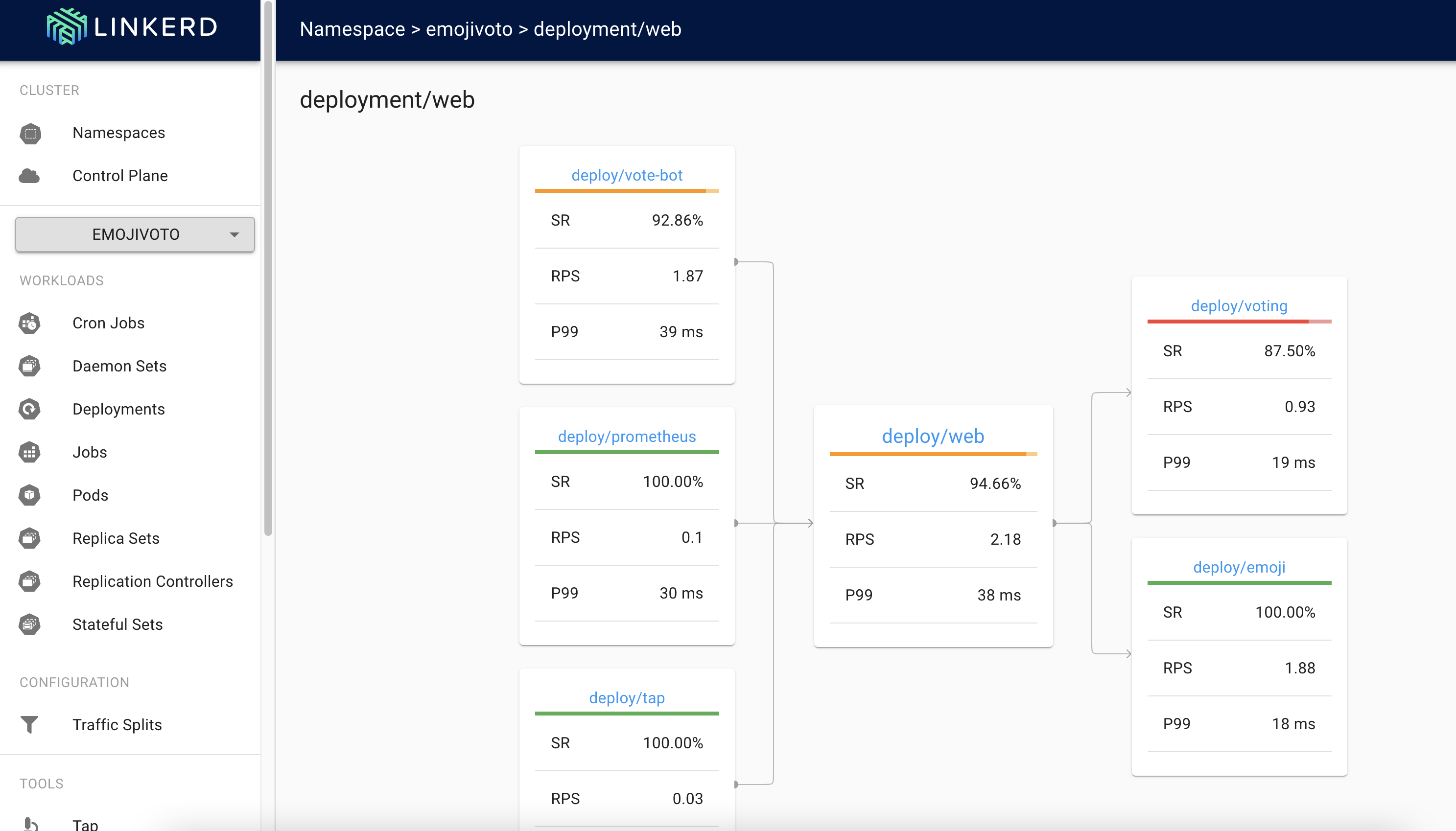
check the dashboard #
- Link: http://localhost:50750/namespaces/emojivoto/deployments/web
Key Takeaways #
- Installation process is very simple and “linkerd” CLI has made it very easy to install.
- Linkerd CLI “linked check” is very useful for any configuration mismatch and prerequisites.