Camunda #
- Camunda describes itself as a universal process orchestrator. The most recent version is Camunda Platform 8.
- A workflow management solution based on BPMN and DMN based modeling framework.
- It supports both self-managed PaaS-based deployment and SaaS-based deployment model.
- Underlying architecture is using Microservices & Cloud-native oriented architecture replacing traditional Traditional business process management suites (BPM) systems.
- Camunda has Opensource Modeler (as a desktop app & web), Opensource community edition. See comparison with enterprise edition by clicking here.
- Key offerings of Camunda Platform 8 are documented here
- Horizontal scalability, high availability, and fault tolerance (with SaaS Model & On-premises/Hybrid Cloud as a separate option)
- Audit trail of workflows (events-driven)
- Reactive publish-subscribe interaction model, Visual processes modeled in ISO-standard BPMN 2.0, and Language-agnostic client model.
Applicability #
- Business-process automation examples such as:
- Financial Services: Automated KYC process for client onboarding (Bank), client engagement process automation
- Any human-task orchestration
- Orchestrating Microservices
- RPA Bots Orchestration
- Build a Centralized Process Automation Platform. Read here.
Architecture #
- Overall Technology Stack: Java, Spring Boot, Kafka, gRPC (Zeebee components communication), GraphQL (used by Tasklist), ELK (logs for Zeebee and others)
- Camunda 7 was Java EE & Spring Boot based and Camunda 8 has been reengineered towards cloud-native and microservices.
- GitHub Repository: https://github.com/camunda
- Platform Components: Zeebe, Modeler, Operate, Tasklist & Optimize.
- Modeler: Modeling following BPMN/DNM standards visually (web & desktop app)
- Zeebee as a cloud-native BPMN Workflow Engine.
- Decision Engine: using DNM as standard.
- Tasklist: for managing human tasks. Tasklist is a ready-to-use application to rapidly implement business processes alongside user tasks in Zeebe.
- Operate: for monitoring real-time, analyze/resolve issues. Operate is a tool for monitoring and troubleshooting process instances running in Zeebe.
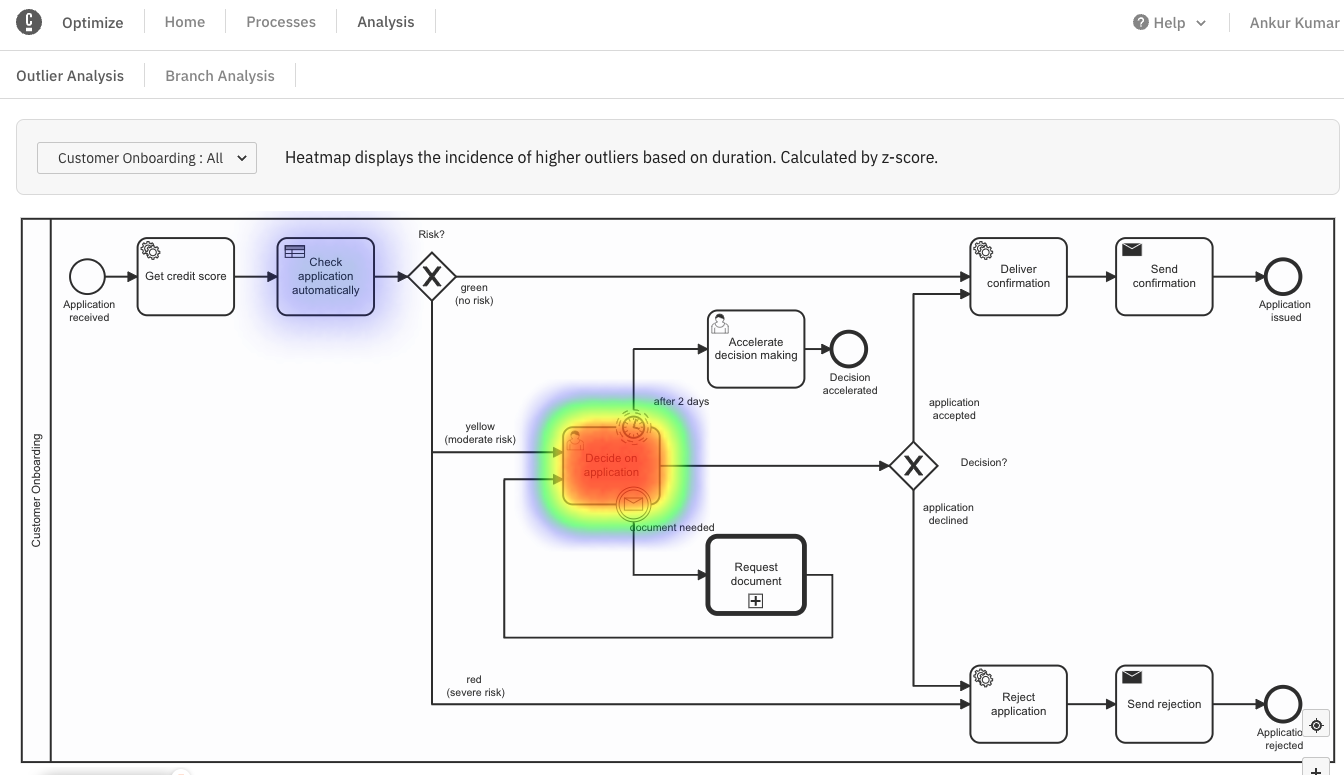
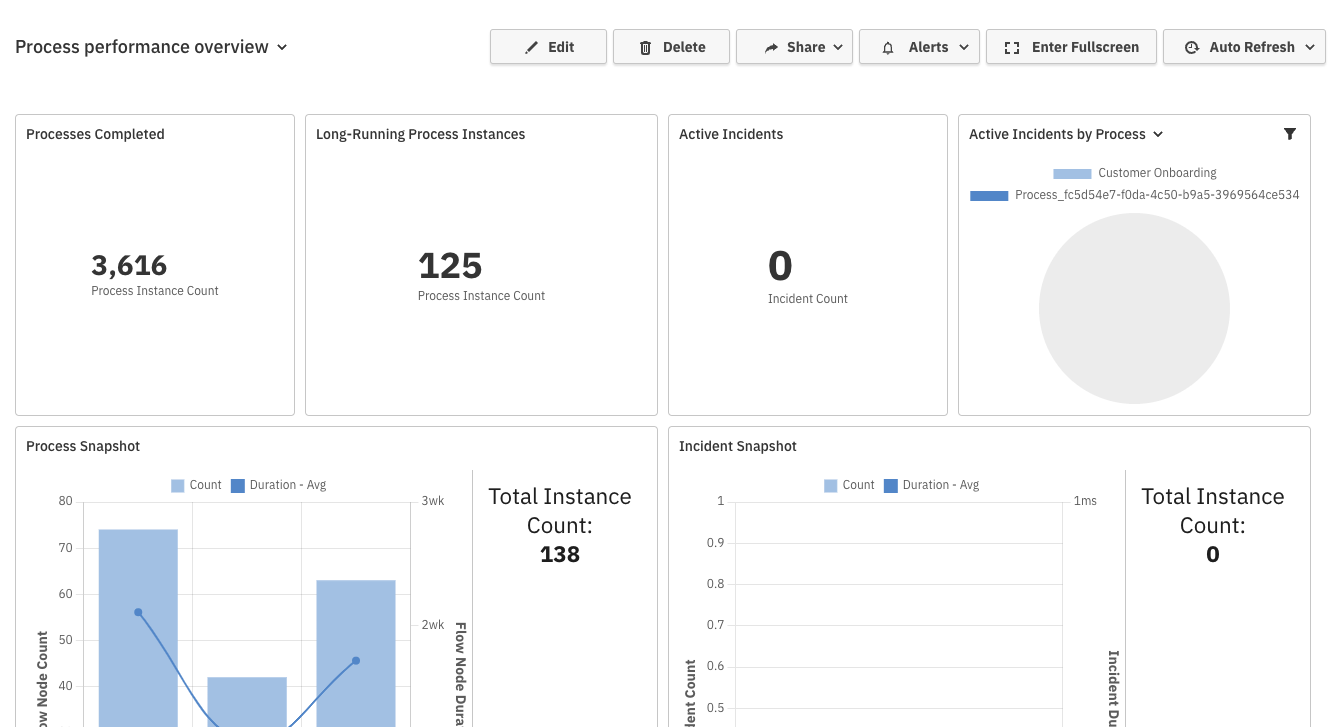
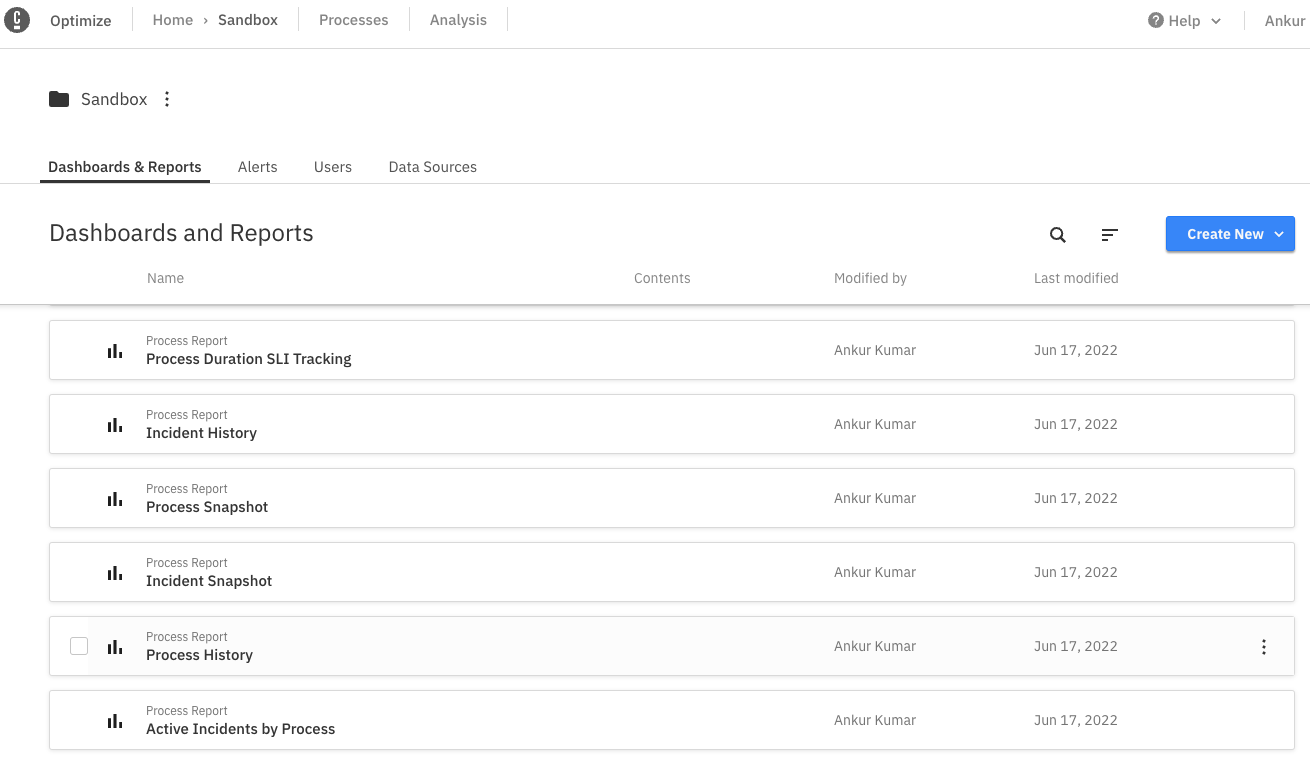
- Optimize: for insights into the workflow with visual reports, heatmap, etc.
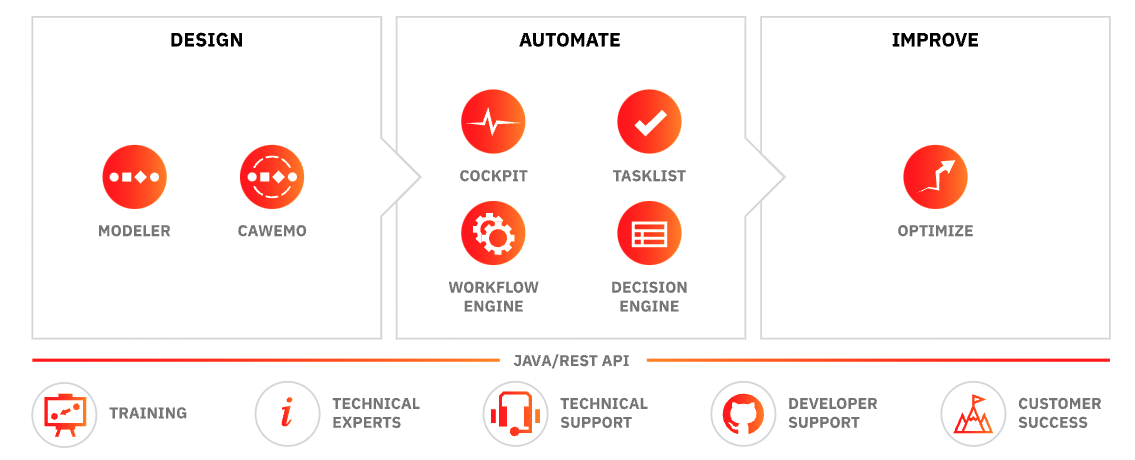 Image Source: https://camunda.com/platform-7/
Zeebee Architecture:
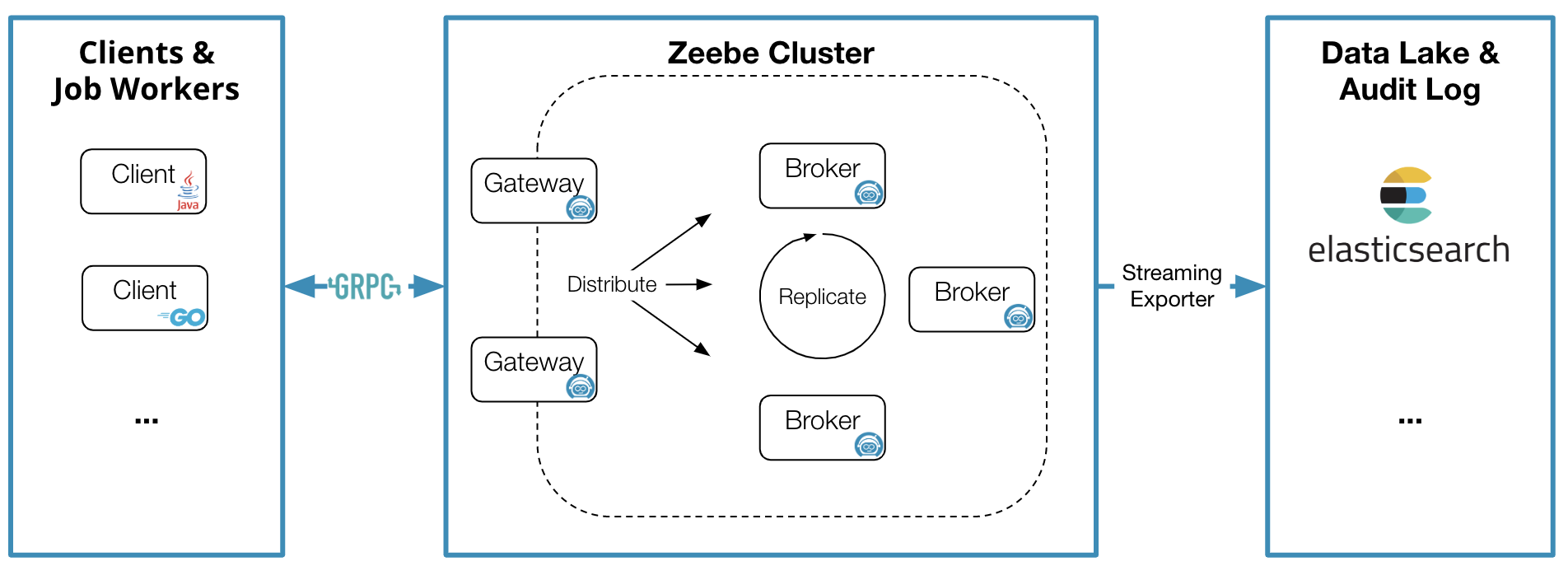
Read about Camunda platform reference architecture by clicking here:
Camunda Process Engine is built using Spring Boot. It supports embedded deployment (as a library) or container-managed as an independent container, or standalone process engine server deployed in VM. Docker image is available at their registry built using Harbor.
Camunda recommends Oracle or PostgreSQL for production and H2 for development. It supports MySQL, MariaDB, IBM DB2, Amazon Aurora, Azure SQL, SQL Server, and CockroachDB as well
Access/Setup #
Trial: SaaS is available as a free account with collaborative modeling features for unlimited BPMN/DMN models.
Register to access Camunda Console for 1 month trial period
Camunda Console is available as a free account (trial):
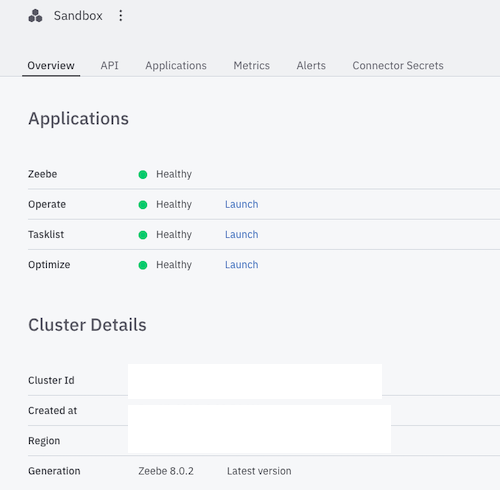
Installed Camunda Modeler (available as Opensource)
Sample Applications #
- Create a Microservices orchestration flow using the modeler like below:
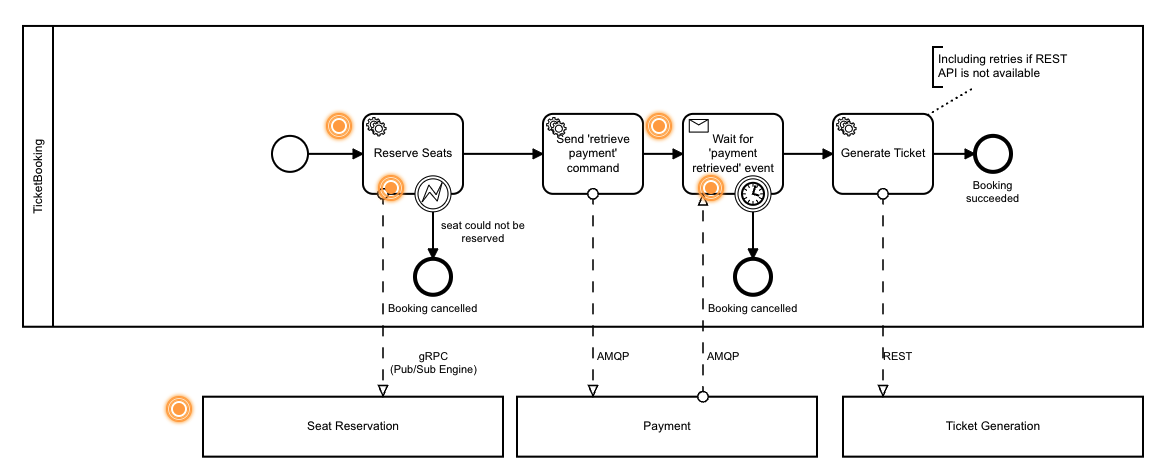
- You can also use their CLI interface:
zbctl create instance "order-process"
- Created a simple process to call a REST endpoint:
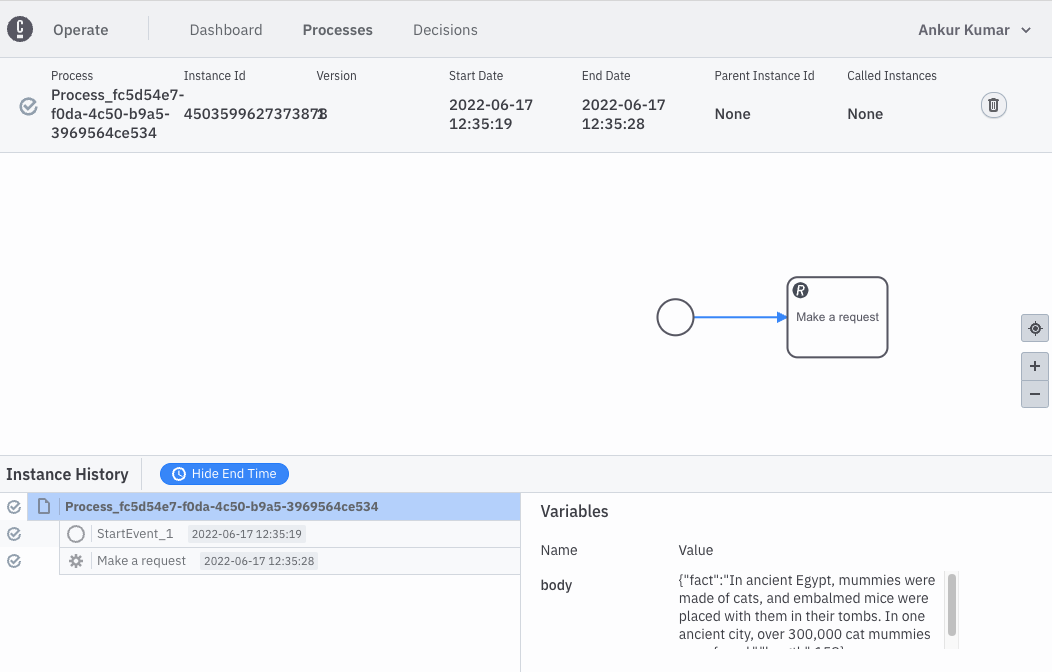
- More code examples are available here: https://github.com/camunda/camunda-bpm-examples
- Connect your local desktop setup with cloud as shown below for deployment:
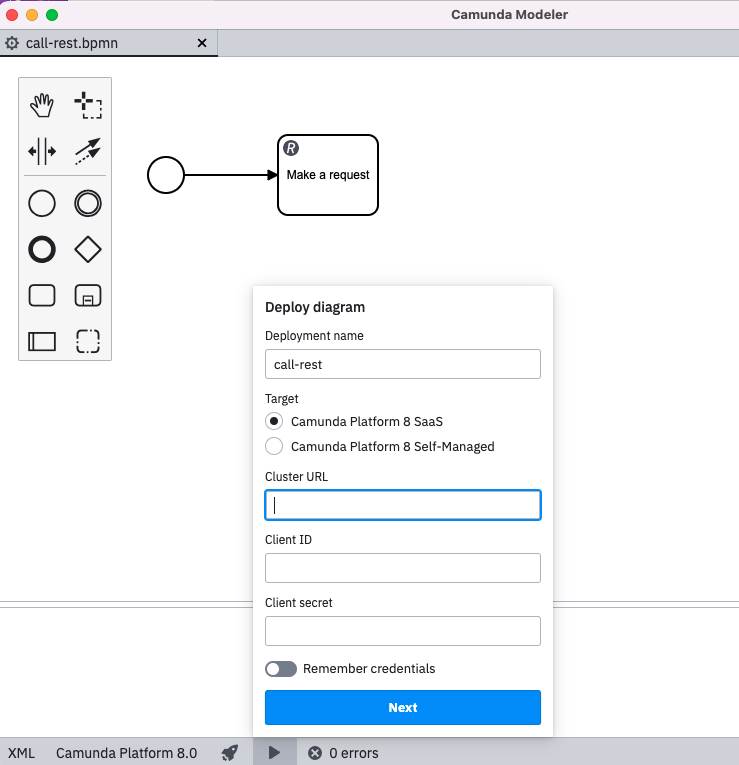
Screenshots #
- Optmize dashboard listing all created dashboards (ready-made available)
- Optimize Heatmap displays the incidence of higher outliers based on duration. Calculated by z-score.